↑

Deep Code CLI
Vibe coding for the deepseek-v4 model, in your terminal.
Install
npm install -g @vegamo/deepcode-cli
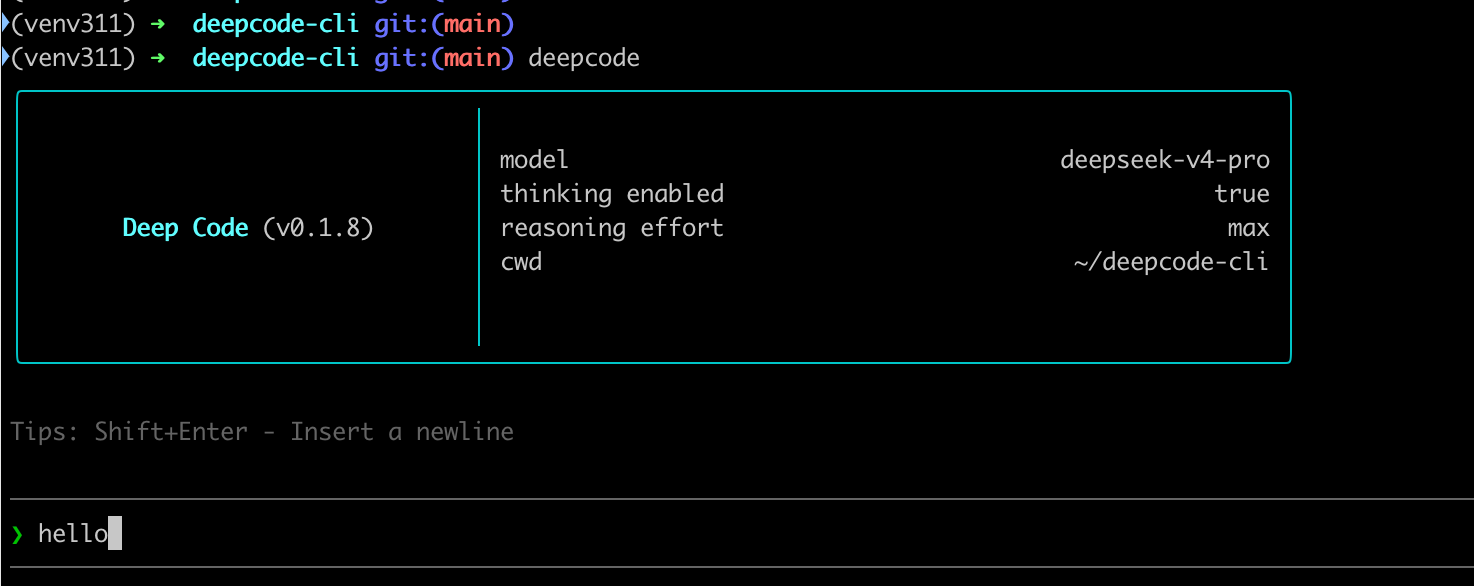
Then run deepcode inside any project directory.
Configure
Create ~/.deepcode/settings.json:
{ "env": { "MODEL": "deepseek-v4-pro", "BASE_URL": "https://api.deepseek.com", "API_KEY": "sk-..." }, "thinkingEnabled": true, "reasoningEffort": "max"}
The same settings file is shared with the Deep Code VSCode extension.
Skills
Skills live in:
~/.agents/skills/<name>/SKILL.md(user-level)./.deepcode/skills/<name>/SKILL.md(project-level)
Inside the TUI press / to open the skill picker, or type the skill name directly (e.g. /skill-writer).
Keys
| Key | Action |
|---|---|
Enter | Send the prompt |
Shift+Enter | Insert a newline (also Ctrl+J) |
Ctrl+V | Paste an image from the clipboard |
Esc | Interrupt the current model turn |
/ | Open the skills / commands menu |
/new | Start a fresh conversation |
/resume | Choose a previous conversation to continue |
/skills | List available skills |
/exit | Quit Deep Code |
Ctrl+D twice | Quit Deep Code |
Storage
Every project keeps its history in ~/.deepcode/projects/<project-code>/:
sessions-index.json— index of conversations<sessionId>.jsonl— message stream for each conversation
Develop
npm installnpm run typechecknpm testnpm run build # produces dist/cli.cjs